Best Calling CRM for Bulk Data Import & Scheduling
Managing thousands of leads manually can slow down your sales team. A bulk contact import CRM allows businesses to upload large lead lists instantly and organize them without manual entry. Swift Dial offers a powerful data import & scheduling solution that helps teams manage lead data efficiently while keeping every contact ready for calling and follow-ups.
With these facilities, businesses can easily import leads into CRM, schedule calls, and track every interaction from one place.

Use Smart Swift Dial CRM for Bulk Lead Upload Instantly
Businesses often receive large lead databases from marketing campaigns as well as external marketplaces or lead generation agencies. Adding these contacts one by one is not practical. A bulk contact import CRM simplifies the entire process by allowing teams to upload thousands of contacts at once. This CRM allows users to import spreadsheets directly into the system and instantly convert those entries into active leads.
- Key Import Benefits
- Fast Data Processing: Quickly processes large lead lists so agents can start calling prospects immediately.
- Organized Lead Database: Stores keep the imported contacts in a format so it is easy to keep track of the contacts and manage them.
- Error Reduction: This means that the data import process is done by the computer, which helps cut down on errors that people make.
CRM Data Import Automation for Continuous Lead Flow
Modern businesses receive leads from multiple sources. Managing these data manually can create delays as well as confusion. With Swift Dial, businesses can manage lead inflow efficiently while maintaining accurate customer records. This ensures that every lead enters the system correctly and becomes immediately available to the sales team.
Automation Advantages

Automated Lead Upload: CRM data import automation ensures new lead lists are uploaded quickly and accurately.

Scalable Data Management: This handles growing lead volumes without affecting system performance.
Best CRM to Import Bulk Data Easily for Telecalling Teams
Telecalling teams often manage thousands of contacts daily. Without a structured system, managing this data becomes chaotic. Swift Dial works as the best CRM for bulk data upload, helping businesses handle large lead lists easily.
This platform allows teams to upload data, assign leads, and start calling prospects immediately. Swift Dial ensures that every imported contact becomes part of a structured sales workflow.
High Volume Upload:
The best CRM for bulk data upload allows companies to import large datasets quickly.
Lead Organization:
It arranges contacts automatically so teams can start working on them instantly.
Sales Workflow Integration:
This integrates imported contacts directly into the sales pipeline.
Team Collaboration:
It also ensures all team members access the same updated lead database.
Telecalling CRM for Contact Import and Call Scheduling
After uploading contacts, sales teams need tools to organize follow-ups and calling schedules. Swift Dial acts as a telecalling CRM with contact import and integrated scheduling tools. Once leads are uploaded, sales team can plan calls and track conversations about the leads.
The system is really good at making sure every lead is taken care of and that we always follow up with the lead when we should.
- Calling Workflow Features
- Lead Upload Integration: The telecalling CRM with contact import converts uploaded contacts into active call leads.
- Call Planning Tools:This works as a crm with call scheduling so teams can organize calls efficiently.
- Follow-Up Management: This helps agents schedule callbacks and reminders for prospects.
- Lead Activity Tracking: It shows the complete history of interactions with every contact.
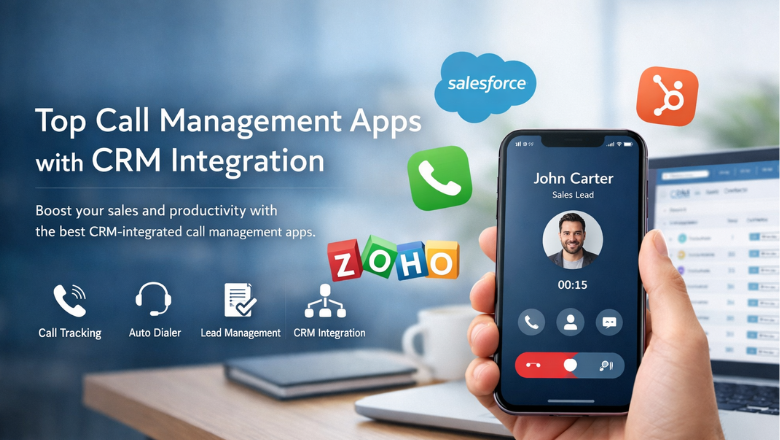
Capture Leads from Different Platforms for Instant Follow-Ups
Leads can come anytime when you run ads online. If you respond late, the customer may move to another business. Swift Dial captures leads from ads and websites automatically. Then sends them straight to your CRM. Here are some platforms:
Facebook Ads Lead Integration
Facebook Lead Ads help businesses collect customer inquiries through simple forms. But downloading leads manually can delay follow-ups. Swift Dial connects directly with Facebook Lead Ads and captures every lead automatically.
Once someone fills the form, the lead appears instantly in it. Your sales team can see the details and contact the prospect without delay.
- Key Benefits
- Instant Lead Sync: It collects Facebook leads automatically.
- Auto Lead Assignment: This sends leads to the right agent.
- Quick Follow-Ups:This helps teams respond faster.
- No Manual Work: It also removes manual downloads.
Instagram Ads Lead Integration
Instagram ads often attract interested customers. Quick follow-ups help convert these leads. Swift Dial connects with Instagram Lead Ads and captures leads instantly.
When someone submits a form on Instagram, the lead appears inside it. Your sales team will be able to look at the details of the customer who’s interested, in buying something from you.
- Key Benefits
- Instant Lead Capture: Collects Instagram leads automatically.
- Direct CRM Entry: Stores the lead instantly.
- Fast Follow-Ups: Helps agents contact leads quickly.
- Organized Data: Keeps Instagram leads structured.
Google Ads Lead Integration
Google Ads brings leads through landing pages and forms. These leads often have high intent. Quick response is important. This captures these leads automatically.
When someone submits a form, Swift Dial stores the lead in the CRM instantly. Your team can start the follow-up immediately.
- Key Benefits
- Automatic Lead Capture: Collects Google Ads leads instantly.
- Fast Follow-Ups: Helps agents reach out quickly.
- Centralized Data:Keeps all ad leads together.
- Better Conversions: Improves response speed
WhatsApp Lead Integration
Many customers prefer contacting businesses on WhatsApp. It feels quick and simple. Swift Dial integrates with WhatsApp ads and captures inquiries automatically.
When someone sends a message through a WhatsApp ad, it saves the lead instantly. Your team can reply or call the prospect right away.
- Key Benefits
- WhatsApp Lead Capture: Collects WhatsApp ad leads instantly.
- Instant CRM Entry: Saves lead details automatically.
- Quick Replies: Helps agents respond faster.
- Single Dashboard: Keeps all leads organized.
Website Lead Form Integration
Many customers visit your website and fill out contact forms. These leads are valuable. They should be handled quickly. Swift Dial connects with website forms and captures leads automatically.
When a visitor submits a form, the lead appears instantly in it. The sales team can see all the details and follow up immediately with the customer.
-
Key Benefits
- Website Lead Capture: Collects website leads instantly.
- Automatic CRM Entry: Saves leads without manual work.
- Quick Follow-Ups: Helps agents contact visitors faster.
- Organized Leads: Keeps website inquiries structured.
How to Import Leads in Swift Dial CRM
Many teams ask how to import leads in Swift Dial CRM when they receive large datasets. It makes the process simple and structured. Therefore, teams can upload contacts without technical complexity.
The platform lets businesses upload CSV files that have lead data and turn them into contacts that’re ready to call right away. This means users can easily take leads, from spreadsheets and put them into the platform.
CSV File Upload:
It is really helpful because teams can upload spreadsheets with data into the CRM system.

Lead Data Mapping:
Organizes details like name, phone number and email on its own.

Instant Lead Activation:
Converts uploaded records into active leads ready for calling.
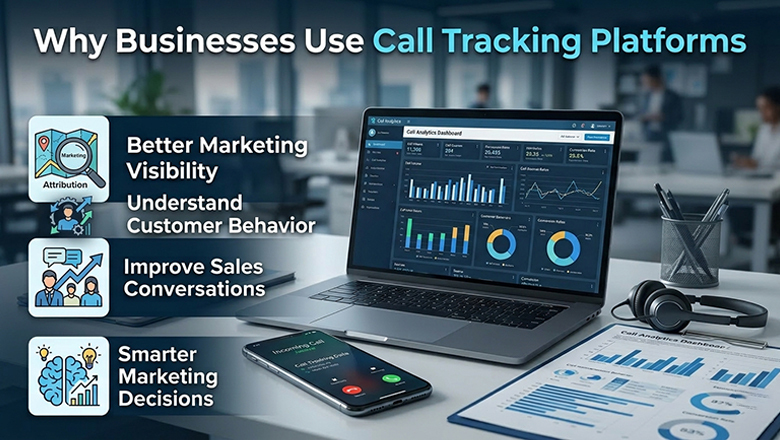
Lead Management Integration:
Ensures imported leads appear instantly in the lead management dashboard.
Why Businesses Choose Swift Dial for Data Import
Businesses choose Swift Dial because it simplifies lead management from the moment data enters the system. With bulk contact import CRM, companies can upload thousands of contacts and start calling immediately.
This combines data import, call scheduling, and telecalling tools in one platform. This ensures sales teams work efficiently while managers maintain full visibility of lead activity and performance.
FAQs - Frequently Asked Questions
Swift Dial offers powerful task and project management tools that let you assign tasks, set deadlines, monitor progress, and collaborate across teams—all in one place. It helps keep your workflow organized and your team aligned.