Basic Feature · Call management software
Smart Call Management App,Handle Every Lead & Business Call
Do you lose 90% of your possible customers just because you could not reach them on time? Or do you have problems with your employees being overloaded by too many incoming calls? The easiest way out of all these problems is Swift Dial - call management app that is very much advantageous for modern salespeople.
Inside Swift Dial
Manage the Entire Lead-to-Call Process with Swift Dial
The sales cycle usually begins even before making that initial call. Leads might find out about your company through forms on your website, through social media advertising, Google AdWords, or even WhatsApp. But now, you need to gather these leads, organize the contacts, allocate the leads, and make the calls to them.
Swift Dial brings all these functions together in one process. Our business call management system will help you manage your leads throughout the entire process.
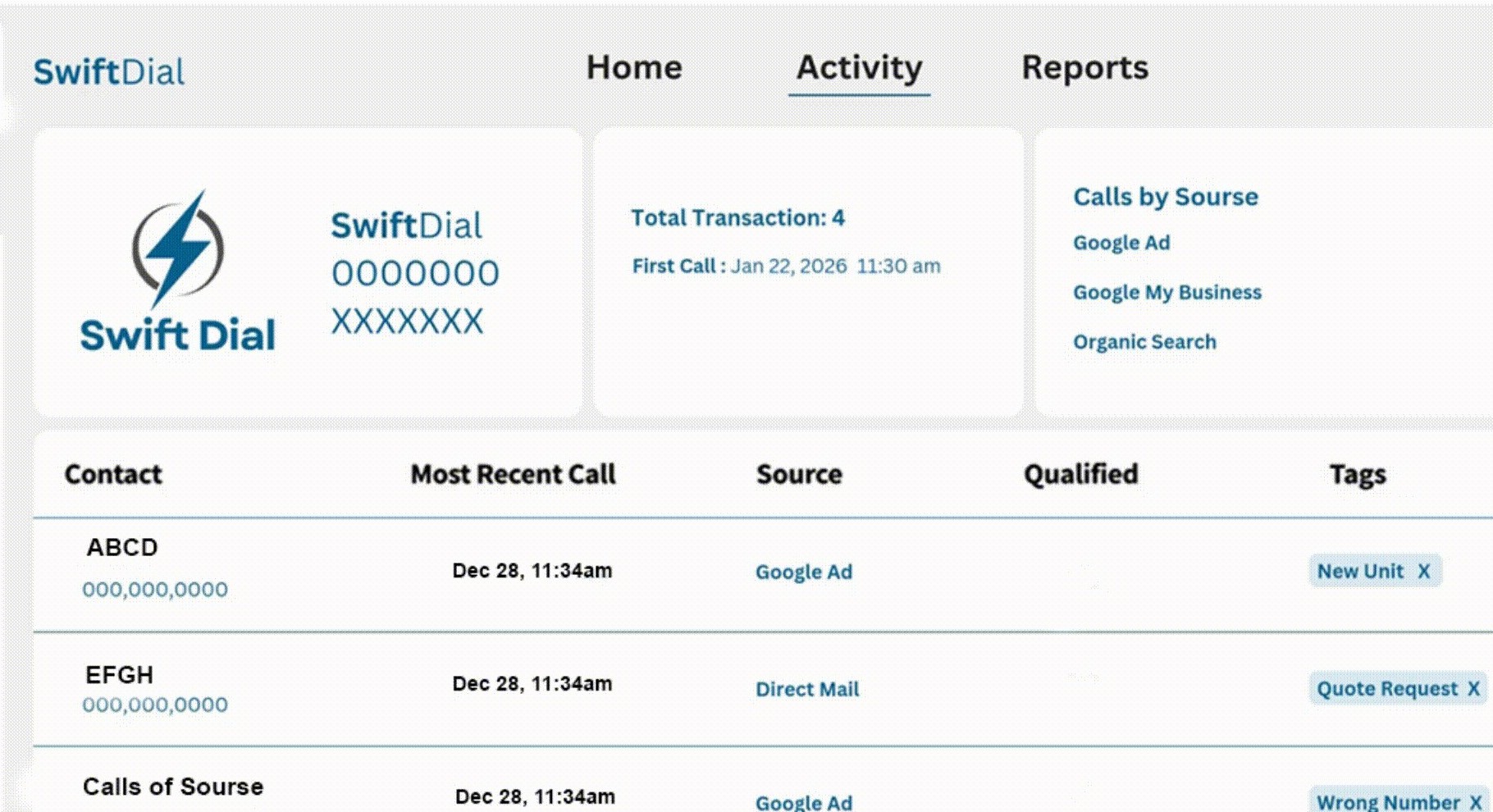
Lead capture
Capture Leads from Multiple Channels
Collect customer inquiries from different digital platforms and bring them into a centralized lead management process.
Swift Dial supports lead integration from:
Website Forms
Gather contact information from people who fill out inquiry forms.
Facebook Ads
Gather leads through Facebook Lead Ads.
Instagram Ads
Bring your Instagram advertising inquiries into your CRM.
Google Ads
Organize leads from Google Ads forms that are integrated with the tool.
Gather leads from supported WhatsApp ads integration.
Phone and Email
Organize leads from people inquiring through these channels.
Lead import
Import and Organize Leads in One Place
Businesses can easily upload their contacts from their CSV files and import large lead data within the CRM system using Swift Dial. Lead data can be mapped for names, phone numbers, and email addresses. The imported contacts will be visible within the lead management dashboard, where more actions can be done with them.
This makes Swift Dial useful for businesses that need call history management software and an organized contact database to manage daily sales activities.
Explore Quick Data Import and Scheduling →Lead assignment
Assign Leads to the Right Team Members
A lead database distributed across a number of regions can make things difficult for managers. Swift Dial makes things easier for managers to assign leads to sales representatives according to region, group, or lead priority.
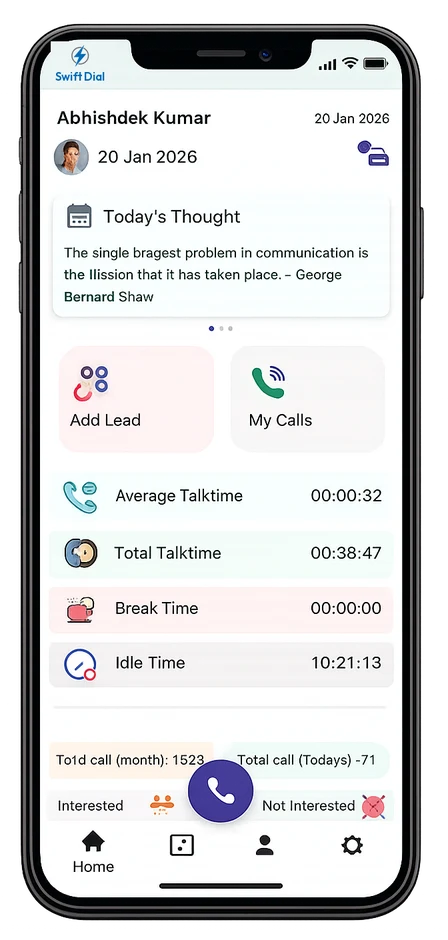
Inbound & outbound calls
Make Inbound and Outbound Calls
After lead assignment, agents can start contacting prospects through the supported calling options. Swift Dial works as a SIM-based calling app and also supports IVR and VoIP calling solutions.
The platform helps sales teams manage outbound calling activities, while its call management dashboard keeps customer interactions organized.
Its outbound calling software and auto-dialling capabilities help agents reduce repetitive manual work and focus on customer conversations.
Whether you need a call management app for a small sales team or team call management software for multiple agents, Swift Dial helps keep calling activities connected with customer records.
Call tracking
Track Calls and Monitor Live Activity
Counting the number of calls is not enough. It is essential to have access to the status, duration, results of the calls, and monitoring of the agents’ performance. Manage everything using the most suitable call tracking app for your business.
Swift Dial call tracking software can assist with this:
- Tracking live call status and duration.
- Reviewing agent availability and calling activity.
- Checking call outcomes and customer interactions.
- Monitoring team calling performance.
- Maintaining a timeline of customer communication.
Businesses handling incoming inquiries can also use the platform to review inbound call activity, while sales teams can track their outbound calling process.
This makes Swift Dial useful for businesses looking for inbound call tracking software and outbound calling management in an organized CRM workflow.
Call recording
Record Calls for Quality Checks and Training
Discussion with customers helps learn about sales performance and service quality. Swift Dial provides call recording facility for authorized managers. The team members may use call recordings to understand the problems of the customers, communication issues, and training requirements of the representatives.
Follow-ups
Schedule Follow-Ups and Maintain Call History
A lead may not be ready to purchase during the first conversation. Some customers require more information or callbacks at specific times. With Swift Dial, follow-ups and callbacks can be scheduled. Swift Dial comes with an inbuilt CRM that helps store customer details, notes, and call logs, enabling you to easily check past calls. Through call activity tracking, you will be able to see which customers have been called, which calls require attention, and the timing of your next follow-up. Interaction timeline enables you to see past customer interactions.
Call analytics
Call Analytics and Reporting for Better Team Performance
Managers need clear reports to understand whether calling activities are producing the expected results. Swift Dial call analytics software provides proper call insights and reporting capabilities that help businesses review team performance.
These insights help managers identify gaps in the calling process, review agent productivity, and make informed decisions.
For businesses managing multiple sales representatives, A smart call management software provides a more organized way to monitor daily operations.
Explore Call Insights and Reporting →It supports visibility into:
- Call volume and duration.
- Call outcomes and lead stages.
- Agent activity and availability.
- Follow-up activities.
- Daily calling performance.
- Customer interaction history.
Industries
Who Uses Call Management
Call Management works for any team that lives on the phone. Here’s how different industries put it to work.
Swift Dial is a business calling and lead management platform that helps sales teams manage leads, organise follow-ups, track calls, and improve productivity from one place.
SIM-based calling uses your mobile network connection to make calls. Depending on your Swift Dial setup, it can help your team manage business calls while keeping workflows organised.
Swift Dial is designed for sales teams, telecallers, customer support teams, real estate businesses, financial services, education providers, and other businesses that rely on calls to connect with leads.
Swift Dial can support team-based workflows where access depends on user roles and permissions. Contact our team to confirm the roles and access controls available in your plan.
Integration options depend on your existing CRM and Swift Dial plan. Contact our team to discuss your current setup and the integrations available for your business.
Data protection depends on your account configuration and the security controls enabled for your service. Contact Swift Dial for details about data handling, access controls, and applicable security measures.
You can contact our support team through WhatsApp or your designated Swift Dial support channel for help with setup, account questions, and troubleshooting.
See Swift Dial on your own leads.
Book a 20-minute demo. We'll connect your lead sources and show your team how calling, recording and reports work.